We offer online or offline access to Amplenote on all desktop platforms, plus iOS and Androi
linkDesktop
Install the native Windows/macOS/Linux client: The Native Amplenote Desktop app client with a Pro subscription or higher
Alternatively: we support Windows, macOS and Linux as downloadable PWA apps that work offline, or via your web browser of choice.
linkAmplenote Web App
No download required – just log into the site. All the functionality you need, right in your browser.
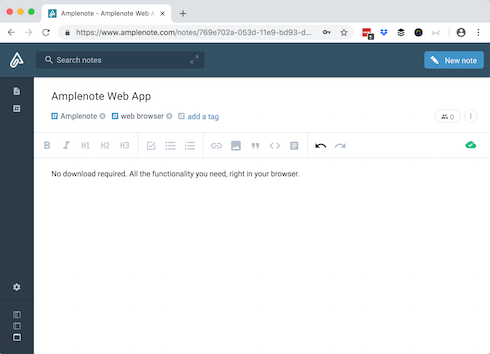
The web app is fully functional so long as you have internet access. To get access to Amplenote offline, you will need to Install Amplenote on Desktop.
We support the latest versions of Chrome, Firefox, and Safari on Windows, Linux and macOS. Other browsers and targets are not currently supported, but can be suggested on our voting boards.
linkAmplenote PWA
Head over to Installing Amplenote and Storing Data for more info on how to install the Amplenote PWA on Windows, Mac or Linux.
linkHow do I download mobile apps?
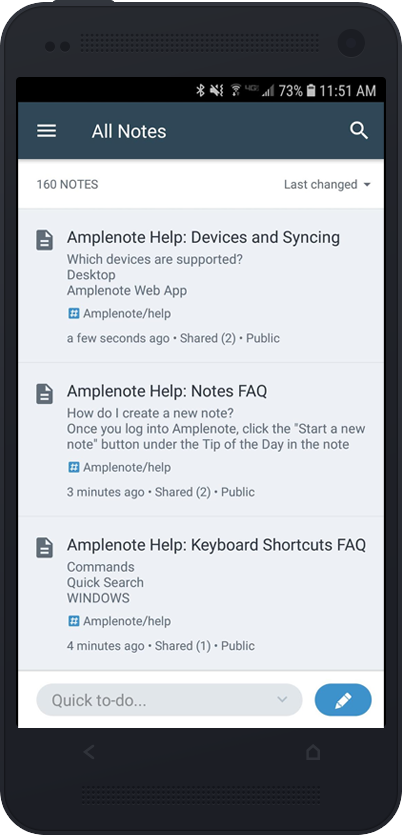
Amplenote can be found in both the Apple App Store and Google Play Store


The Amplenote Android app.
linkInstalling on an iPad
Amplenote's native iPad app is available through the App Store. Installing Amplenote on iPad will give you access to Handwriting and drawing on iPad, among other features. ✨
linkApple Watch
You can capture tasks via Apple Watch using an iOS Shortcut.
linkHow many devices can I use?
All Amplenote plans have access to unlimited devices. That's right, there's no limit! On the web, iOS, or Android, Amplenote is there for you.