Task Digest emails offer an option to let you receive periodic emails summarizing:
Biggest achievements since your past email (ordered by Victory Value)
Ready to start tasks
Tasks with an upcoming deadline
This page will detail how to enable and configure Task Digest emails, and what content you'll receive in each.
linkEnabling Task Digest emails
To enable Task Digest emails, visit your Account Settings, and under "Email Preferences," you can pick an option for how often you want to receive a task digest:
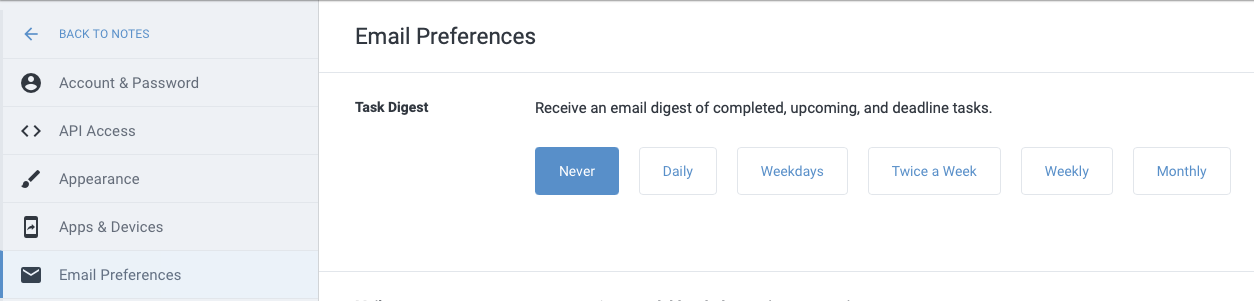
link⚙️ Controlling email send frequency
In addition to the options shown above in "Email Preferences," every Task Digest email you receive will include buttons that mediate the maximum sending frequency of Task Digests:
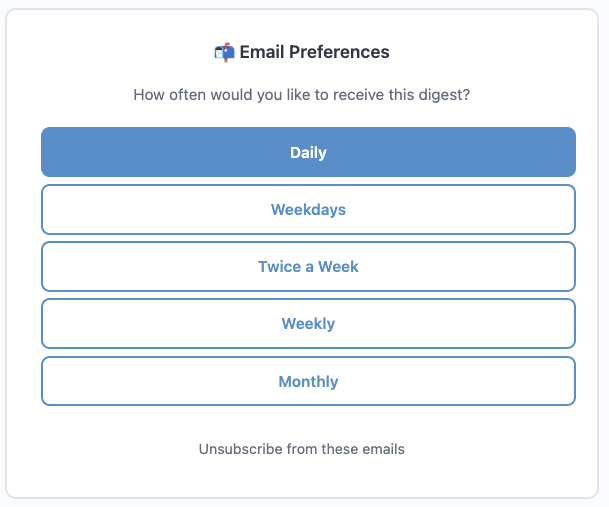
Within each Task Digest are buttons to change send frequency
No login is required to click these buttons and alter the maximum frequency of received emails. Note that Task Digest emails will not be sent if there is no new activity since the previous update that was sent.
linkTask Digest Sections
The email summaries include three sections.
link🏆 Outstanding Work
We start by reminding you about your highlights since the past email. In a world where almost nobody receives the recognition they deserve for their achievements, we think it's important to reflect back to each user how much progress they are making, which is easy to lose track of during the day-to-day routine.
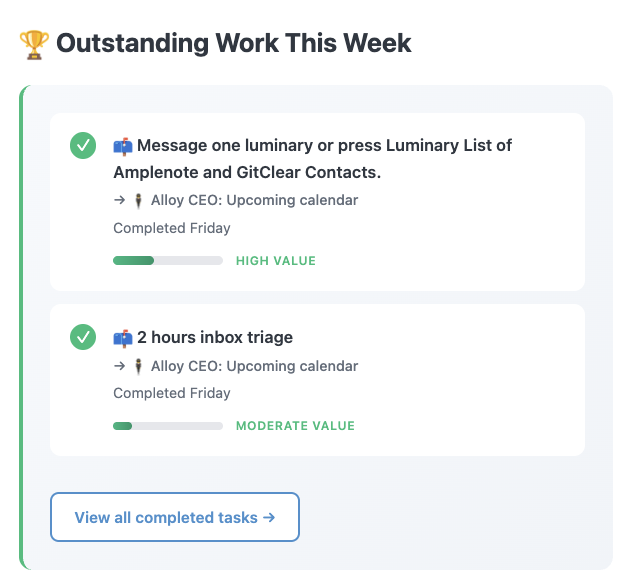
Most impressive achievements since your last Task Digest email
The more reliably you visit your Completed Tasks to nudge Victory Value "up" and "down" based on which tasks ended up being valuable, the better your records will be -- both in the Task Digest email and when you reflect back at your long-term Completed Tasks.
link🚀 Ready to Start
If you have tasks that are scheduled to start -- either today, or in the next couple days -- the agenda view in "Ready to Start" will remind you where your energy needs to be directed:
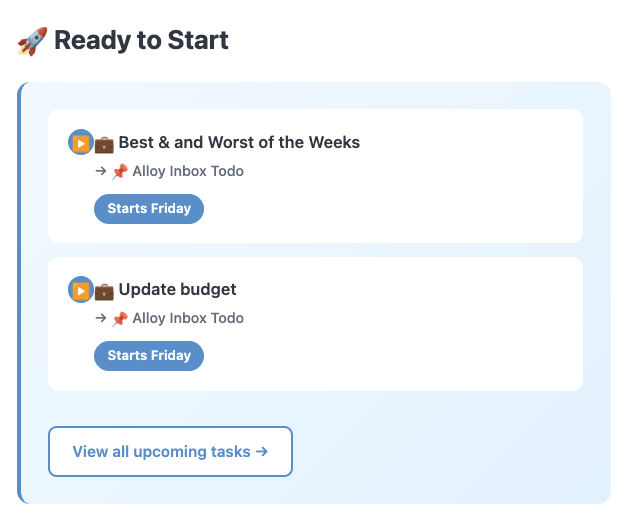
Reminding you which tasks have been scheduled to start soon
link⏰ Upcoming Deadlines
When you use the task deadline feature (e.g., /deadline) to mark specific tasks that need to be completed by a given date/time, those tasks will be featured in their own section.
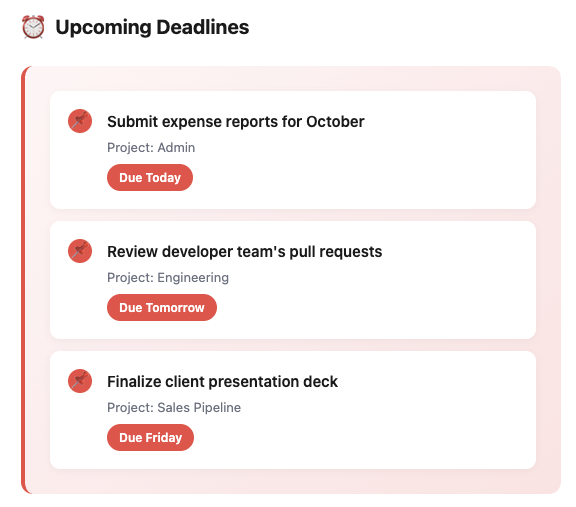
Reminder of the critical tasks to complete soon
Since a deadline won't necessarily show up on external calendars (if you haven't scheduled a Start Time for the task), this section is a utilitarian means to ensure that your deadlines aren't missed.