Amplenote encourages its users to follow the advice of productivity experts: instill an agenda that mixes short, medium and long-term goals. Because, yes, it's nice to have an app that reliably keeps track of what you might work on; but if you're like most people, you're often stuck in busywork tasks that don't improve your long-term prospects. Getting more done in that case doesn't bring you closer to "fulfilled." You can do better.
You don't have to stay mired in a daily routine that feels more like "firefighting" than 🔥, but you need a compass. The key to gradually improving your satisfaction is to shake out some critical truth: where you are headed?
Of course, easier written than derived. Nevertheless, we assert that thinking hard about your Quarterly and Monthly Goals is not only recommended by most esteemed authors. It is the tunnel that draws you toward answers in assessing "What changes will make next quarter even more enjoyable than this one?" Once you know that, you can begin to determine which tasks, if scheduled & completed, will leave "future you" happier and healthier?
linkWhat is Plan Builder?
It is a wizard built into Amplenote's Mission Control Dashboard that uses frontier LLMs to guide you toward discovering which direction will leave your future self in the best possible state.
It begins by requesting a "Highest level intent," i.e., "What's the end game you're working toward this quarter?" A vague or broad answer is fine, if not expected – the point of this wizard is that it will help deliver the specifics of what to work on (and when to work on those specifics).
linkThe payoff: Suggested agenda on calendar
Amplenote's Idea Execution Funnel is all about making "idea capture" near-instant, then helping to nurture your inchoate scribbles into action-ready tasks for the calendar. Traditionally, Amplenote users have used the Calendar pane to drag high-relevance tasks onto the calendar, but as of 2026, the "Suggest" button proposes tasks for you:
Hover on any suggestion to see the rationale for scheduling it:
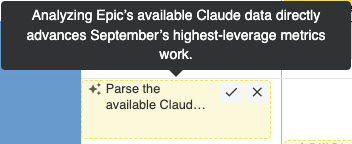
Task suggestions are generated by the combination of the Dashboard and Agent Pro plugin, so ensure that you have both installed in order to access your custom-tailored recommendations.
linkUsing Plan Builder (How does your LLM know what to suggest?)
As of Q3 2026, Plan Builder is still under active development, so we are still soliciting user feedback to ensure that we're asking the right questions in the right order to produce a game plan that is attuned to the user's taste. However, we can say that the general steps will include:
linkStep one: Figure out your high-level intents
What are the highest-reward personal and professional achievement that you might hope to experience in the coming months? Don't overthink it! Just ask "what is the overall direction I am trying to move in this quarter?"
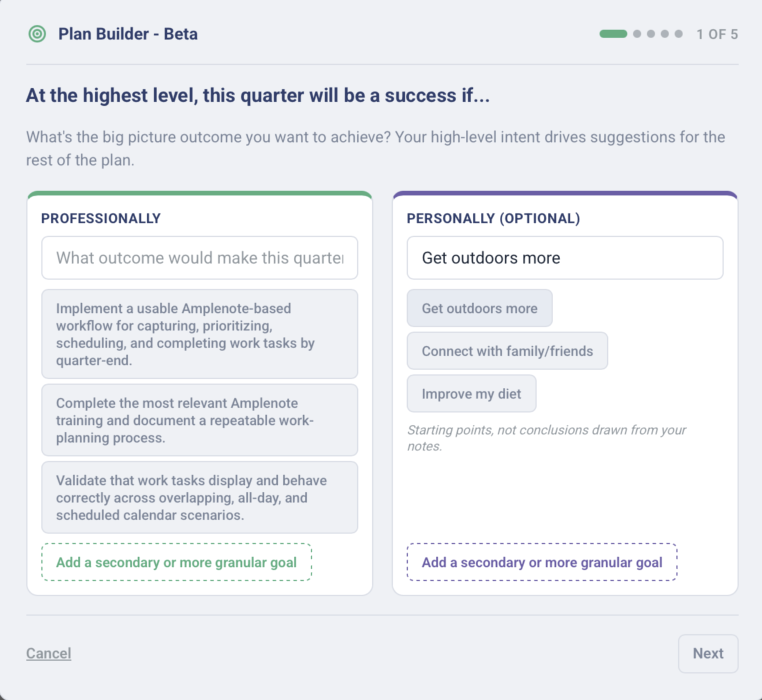
Sketching out high-level intent
For example, possible intents for the "Professionally" side could be:
Automate busywork pain points
Land one new big customer
Grow subscriber base by 25%
Attend more networking mixers
Get featured in XYZ
linkStep two: Pick specific Projects (professional, personal)
Getting more granular, what are some of the specific areas that you believe deserve attention before the end of this quarter?
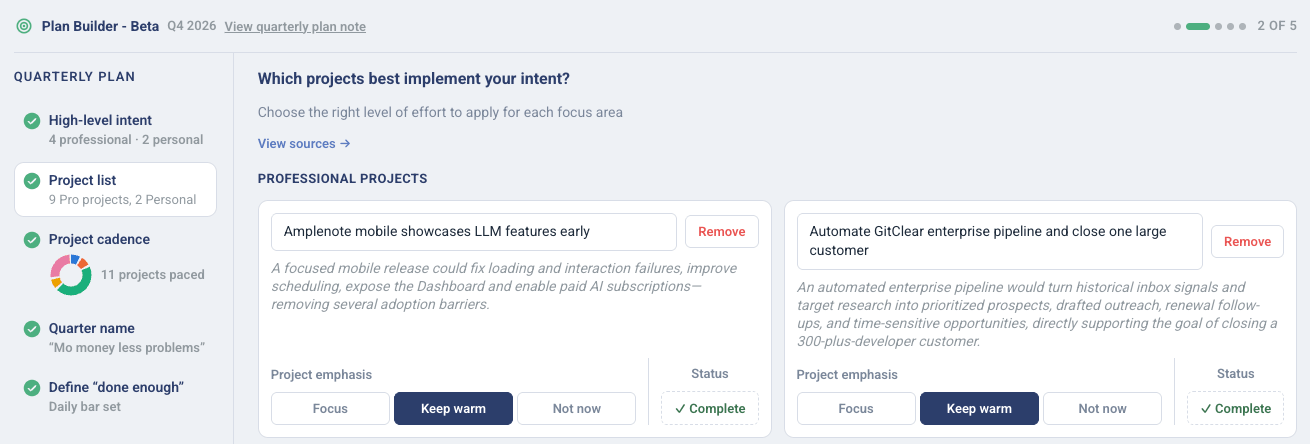
Projects are suggested from your active tasks & intents, or you can suggest your own
You curate the list of projects substantiated by your open tasks. How did the LLM figure out which projects to suggest? Click "View sources" from the "Projects" page to see the substantiation:
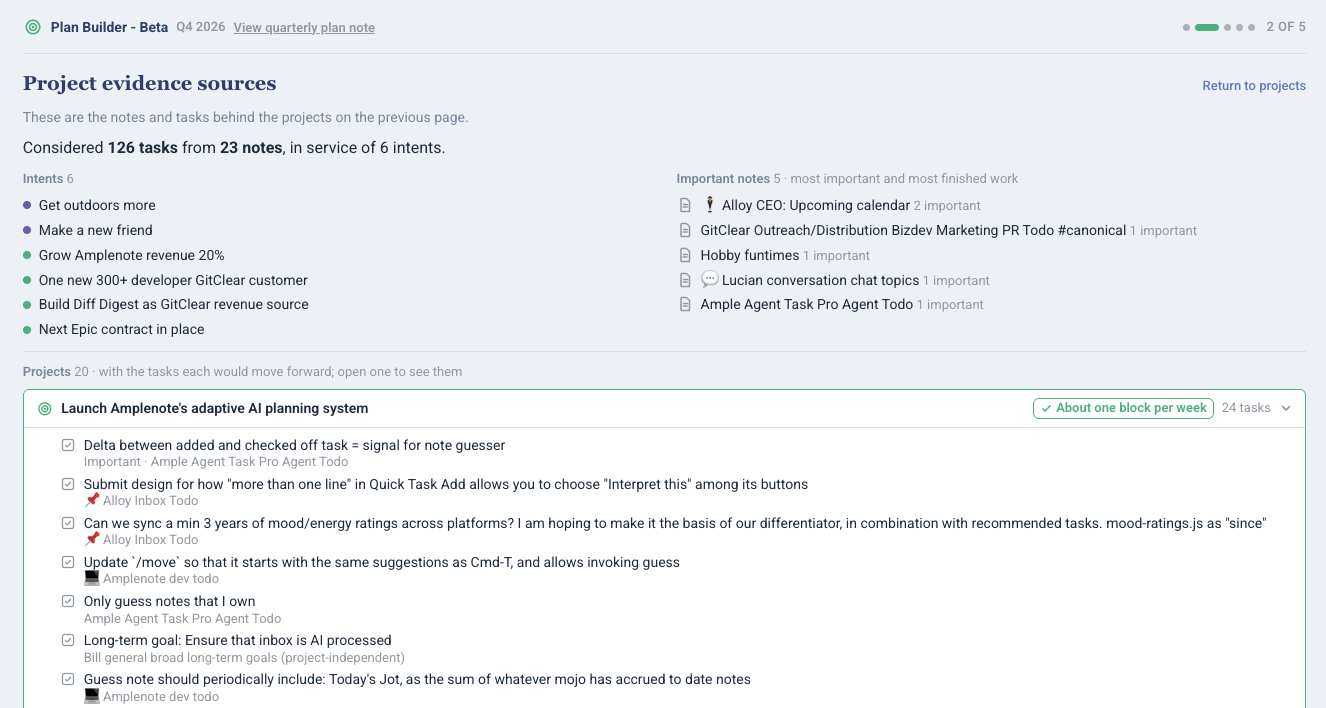
Recommended or actual projects, grouped by associated & proposed tasks
This page is likely to become further integrated into Amplenote to the extent that users find it useful to think in terms of emergent (less-so explicit) projects.
linkStep three: Project pacing (cadence)
At what rate do you expect to work on each of the projects in your roster?
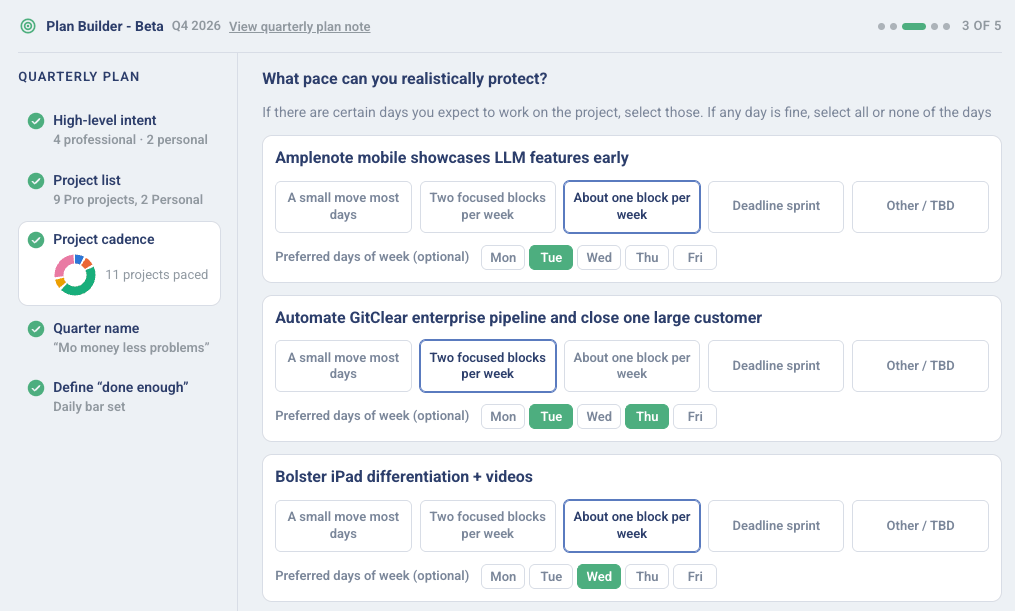
Guide when pertinent tasks should be suggested on your calendar
While the per-day specification is totally optional, we find that it helps break up the monotony of the week to theme various days to ensure that you continue making progress across the full breadth of ideas that matter most for this quarter.
When it's Friday and you still haven't finished any tasks related to Project X, the cadence detail you choose is often cited as supporting evidence that your past self would like your present self to keep your momentum.
linkStep four: Monthly pacing (goal schedule layout)
Would you like to schedule some tasks to receive focus earlier in the quarter vs later?
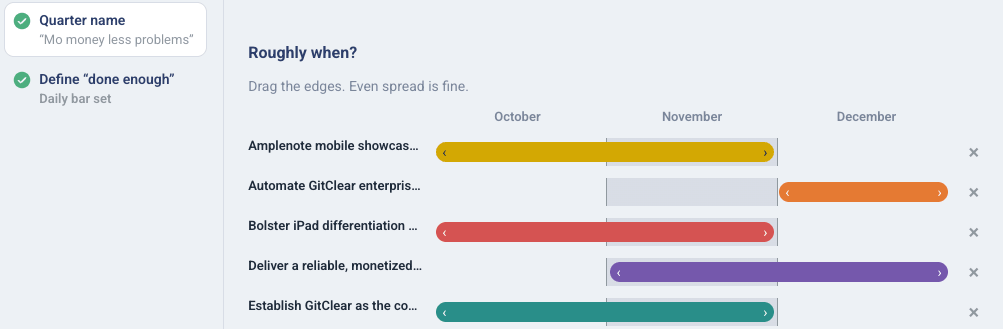
The fourth step of Plan Builder lets you pick which months make most sense for focus on your assorted projects. This is where, if you have created 10 projects, you can set yourself up for success by ensuring that, for any given month, only a fraction of the 10 total projects will deliver suggested tasks to your calendar and dashboard.
linkPlus a "Done enough?" Easter Egg
If you really want to see the final step of Plan Builder, try it – we implore thee.
This one is an aspirational flourish: a feature we can guarantee you won't be finding in other task apps. 🙃
.... for good reason? You decide. 😆