
We're taking a quick break from our usual "release blog" cadence to mention a new feature & a new learning resource that are exciting enough to merit a standalone announcement.
link📺 New Release: Mission Control Dashboard
Our users love having one app that can work as a "LifeOS," but it has taken us awhile to figure out how to translate a user's unlimited notes+tasks+events into a single, tidy package that captures what matters now?
The new Mission Control Dashboard plugin (<- click to install it) offers an answer:
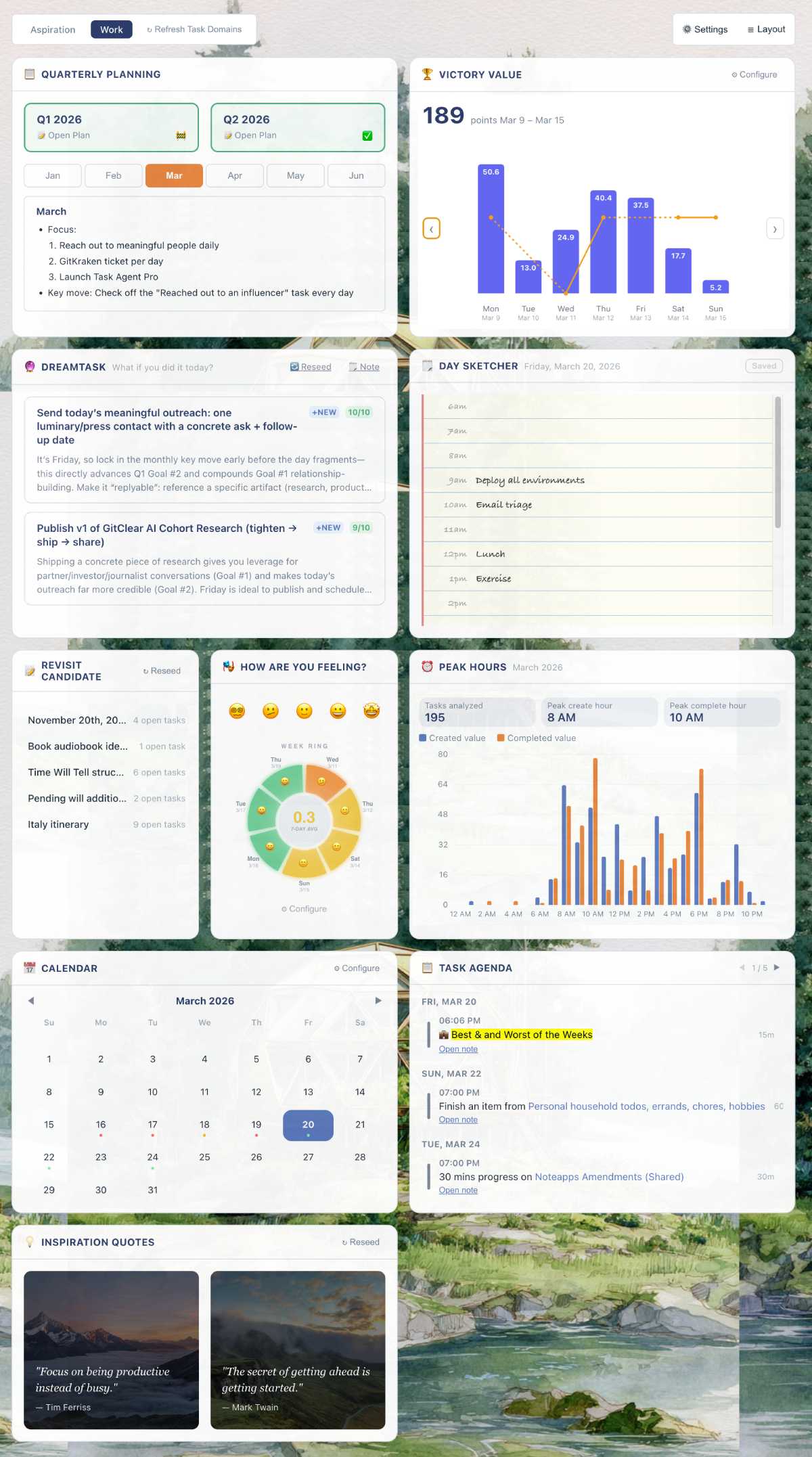
Configure more than 10 different components to design your own "Mission Control"
A major focus while building the dashboard was to integrate the wisdom of productivity experts, who seem to agree that long-term success follows from long-minded planning. Once you've figured out what would make this quarter feel like a "success," we can use LLMs to pinpoint tasks from your notes that best align with this quarter's goals.
Here are the available dashboard components as of v1:
Long-Term Planning. Taking time to think through what would make this quarter/month/week a success helps to direct energy toward what will matter most in the long-term.
Victory Value vs. Contentment. Productivity apps give short shrift to the notion that "user happiness" matters. We think it's short-sighted, since "willpower" is proportional to "contentment."
Task Recommendations (DreamTask). An AI-powered advisor that cross-references your quarterly goals with today's open tasks, surfacing work most likely to move the needle on your plans.
Day Sketcher. Sketch out the rough shape of your day in seconds. Pre-populated with your scheduled tasks and events, it lets you fill in the gaps with a tab-navigable outline.
Notes to Revisit. Resurfaces notes with unfinished tasks that have been gathering dust in your Task Domain. A gentle nudge to resume progress on goals your past self cared enough to start.
Satisfaction Meter. Tap an emoji to record how your day feels. These breadcrumbs of daily satisfaction accumulate into the data that let you steer toward long-term productivity & enjoyment.
Peak GSD Hours. Discover when you do your best thinking and your best finishing. This heatmap plots the hours of day when high-Victory-Value tasks were created and completed, so you can protect your genius hours.
Calendar. The control center for your dashboard. Navigate between weeks and months to see historic data. Past days colored by output, future days colored by what's planned.
Daily Task Agenda. Your scheduled tasks for the day, at a glance. See what's on the docket without navigating away from your dashboard — a quick-reference checklist for the hours ahead.
Inspiration Quotes. A rotating selection of 100 quotes from the thinkers who shaped Amplenote's philosophy. Because sometimes the hardest part of getting things done is convincing yourself to start.
Quick Actions. One-tap shortcuts to the actions you reach for most: create a task, open your jots, jump to a note. Fewer clicks between 'I should do this' and 'it's captured.'
In the near future, the Account Dashboard will be a link available in the mobile sidebar; for the moment, the primary means of access is by clicking the "Notes" pane on desktop. Then, after installing the Dashboard plugin, you can choose it to render your dashboard.
linkAccessing the Dashboard on mobile
Until we have released the new "Dashboard" pane on mobile, you can still access your dashboard on mobile by opening the "Quick Open" menu and choosing "Overview Dashboard (full)" from the options. See more detail on the Dashboard Help Page.
link🧑🏫 Help Center Refresh: Information Hub to Learn...Fast
After accumulating more than 100 different help pages to explain Amplenote's "ins and outs," the "flat list of every topic ever"-approach had evolved into an impenetrable wall of text. Now, the Help Center is organized into "learning," "leveling up" and "tips & tricks."
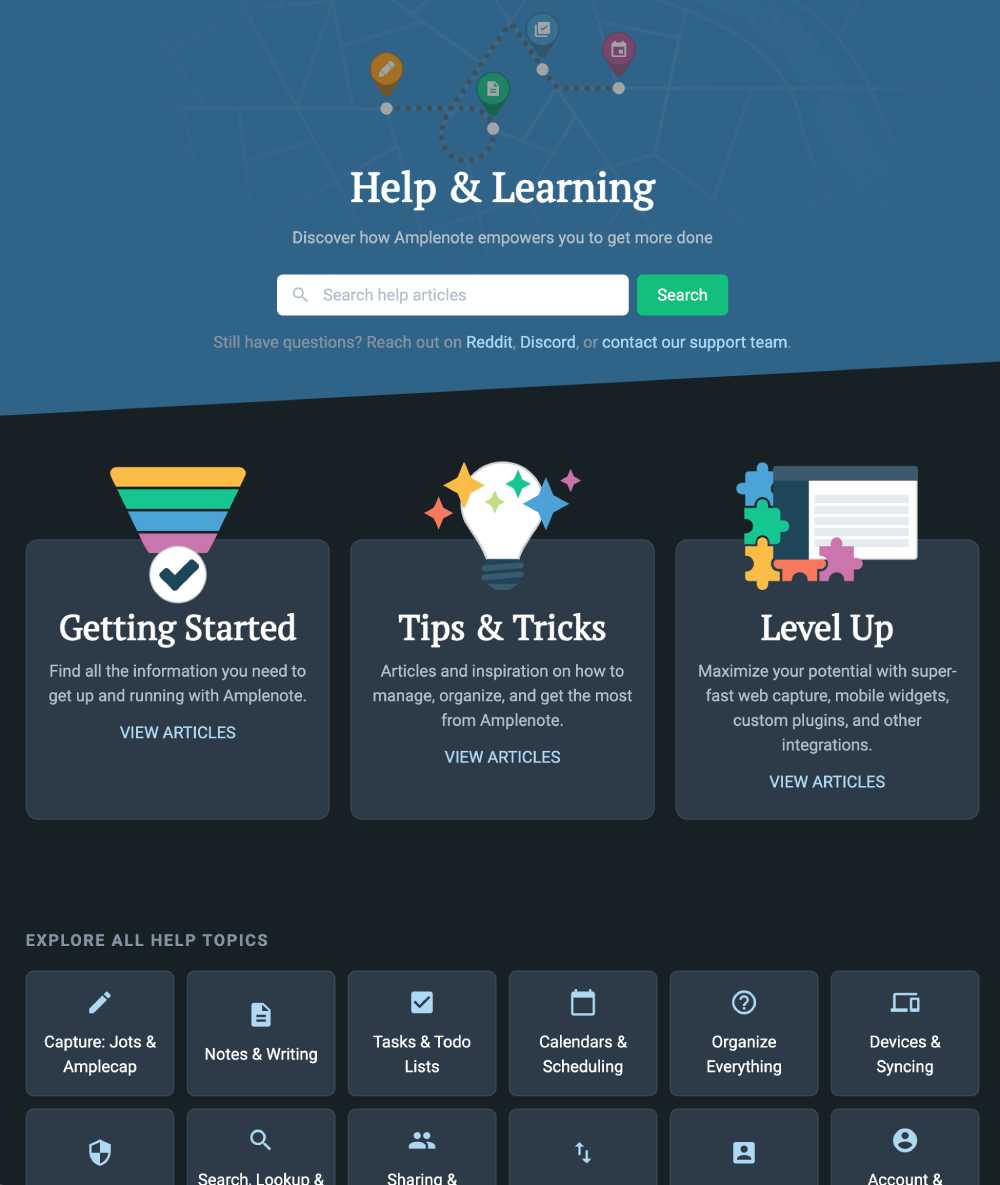
Refreshed starting point for getting the most from your Amplenote experience
In particular, we recommend checking out the new Inspiration section - it combines all types of resources into curated groups of content. This is the place to find the videos, plugins, help pages and articles that have been most upvoted by the Amplenote community.

I installed it to give it a go, but it gets stuck in the "Loading dashboard..." view. Could it be that some of the widgets don't work if there's no information to display and then the whole thing fails? I for one have never used the "Rate your mood" thing, for example, and probably never will.
Wow, that looks great! it's not really for me though, as I primarily use it for task management and there are simple usability issues that make me hesitant to fully adopt Amplenote (like tasks disappearing or not saving automatically).
I’d like to suggest a refinement to how user feedback is evaluated in the suggestion forum.
A public voting forum is useful, but it can miss important issues when feedback is split across duplicate posts, described with different wording, or never discovered by the right users. That means some simple, low-effort fixes can be overlooked even when they would meaningfully improve the product. From the user side, this can feel alienating: people take the time to give feedback, see their suggestion sit with little traction, and conclude that only highly visible or popular requests matter.
It may help to treat forum votes as one signal rather than the main decision method. In particular, I’d encourage more attention to:
• simple fixes with clear user benefit, even if they have low vote counts
• recurring themes across multiple similar suggestions, even when votes are fragmented
• issues that create friction or make users feel ignored, even if they are not flashy feature requests
One possible improvement would be to periodically curate common or promising suggestions into a newsletter, survey, or in-app poll and ask a broader group of users to vote on them. That would give better visibility to issues that are real but underrepresented in the forum because of wording, discoverability, or duplicate posts. It would also let the team validate priorities without relying entirely on passive upvotes.
In general, I think users want both: a place to voice feedback, and confidence that the company is also making thoughtful product decisions on its own. Balancing open feedback with internal judgment would likely lead to better prioritization and make users feel more heard.
I have to jump on board with Rick here. From a personal perspective, I am all in for giving those the most say where Amplenote is heading who also have the most skin in the game and put their money where their mouth is.
However, as he pointed out, there are many low-effort quality of life improvements, weird UI discrepancies, stuff not working quite as it should, etc. that really ought to be looked into. To give some examples:
- Editing hidden tasks on mobile (iOS) has multiple bugs related to e.g. changing the “hide until” date, adding inline links… The whole thing should be looked into.
- On mobile (tested on iPadOS + Magic Keyboard), when editing a rich footnote, the bottom-right corner icon for creating a new task or note is showing on top of the rich footnote. This means that the “Done” button in the rich footnote can get hidden under the big round “+” button and become inaccessible.
- Mouse cursor under the note list when typing @ to link to a note makes it confusing to understand which option is selected when pressing enter, because more than one item in the list is displayed as "active" at the same time.
I have been collecting a bunch of these in a note, as well as what I see as the most important improvements that would make the Amplenote experience more polished. For example: Enabling 'OR' parameters in task filters; A 24h clock,;ability to open notes in windowed mode on desktop; Customisable keyboard shortcuts, because some of the current ones simply do not work with non-US keyboard layouts. This is quality of life stuff.
Amplenote is actually becoming irreplaceable in my workflow (gotta thank my company IT for disabling iCloud Drive and therefore every app that uses it for syncing data), and my biggest concern is too much focus on new features at the expense of making the existing ones work just right. For example, the way @@ tags for people broke inline tags: a feature for the select few messed up a feature that was available for everyone, and which also has been the way Amplenote has recommended doing inline tags for a long time.
What is the next thing that breaks? Or a feature that gets removed because it stands in the way of something a vocal minority is asking for? I fear Amplenote will go the Evernote route: feature creep, resulting in neglecting things like the absolutely fantastic speed and responsiveness at which everything works (like when @ linking a note).
In general I believe that as an app matures, adding new things should happen slower, not faster, and polishing and bug fixing and being more cautious about not breaking anything becomes all the more important. This is coming from someone who thinks the current featureset of Amplenote is 100% there, but what is lacking is polish, and making sure that everything work just 'right' instead of 'about there'.
Whatever you do, I hope you will preserve the core strengths and do not break stuff.
I have been playing with the Dashboard since yesterday and my images don't upload in the background and the Dreamtask does not work I have changed the API key and it continues to say that there is an "LLM request failed. Please try again later." Any support you can offer would be great!
I'll just respond to Rick & Sami collectively that we def agree w/ consistent progress on polish. At least half of our improvements in any given quarter are iterations on existing features. For example, the previous feature we worked on before the dashboard was utilizing note open counts to improve the quality of note recommendations. We spend every Monday focused on bug fixes. Friday is dedicated to plugin enhancements. So while I think there is plenty more opportunity to make things work in the most intuitive way possible, I think that we're on the road to building a tool that will toe the balance between "powerful" and "easy-to-use." Appreciate your contributions to helping us stay calibrated on improvements that matter. 🙏
As an Evernote refugee, I have to concur with @sami's comment "Or a feature that gets removed because it stands in the way of something a vocal minority is asking for? I fear Amplenote will go the Evernote route: feature creep, resulting in neglecting things like the absolutely fantastic speed and responsiveness at which everything works"
The thing that attracted me to Amplenote (after 15 years of Evernote), is that it reminded me of the original Evernote where the basics were quick and just worked.
It is critical to get the BASICS 100%, and then to look at the enhancements. With the current Amplenote scope of functionality totally usable as it is, I would say that your basic development principle should be that you don't work on any functional enhancement until (1) all known bugs are resolved (2) you are sure that a new enhancement won't break a majority feature in favour of a minority.
I think it would be worth consolidating user interaction for invested users (eg www.amplenote.com/forums vs Dischord vs Reddit) and very clearly surfacing known bugs vs enhancements - but also ensuring that high impact is prioritised vs just votes.
Also: I think it would be helpful to change your "Was this page helpful?" on your help pages to include feedback: I ended up here on a side-quest after finding an error in your documentation that I can't find an easy and immediate way to report!
Anyway: what you are doing in Amplenote is fantastic, keep it up, but keep in mind the lessons of Evernote: SO many users left when the app tried to become a do-everything enterprise app and left behind the 80% of users who just want the basics of note-taking and information management to work properly.