As you complete tasks, Amplenote rewards you for following through on your past intentions. Whereas open tasks use Task Score to help you gauge which tasks most deserve your "GSD focus", its counterpart, "Victory Value," tracks the extent to which you are working on Important tasks that move you forward toward your long-term intentions.
This page will offer a recipe to help you work toward maximizing how often you work on tasks that benefit your long-term wellbeing. It will also give an overview of how to access and interpret your Completed Task Stats.
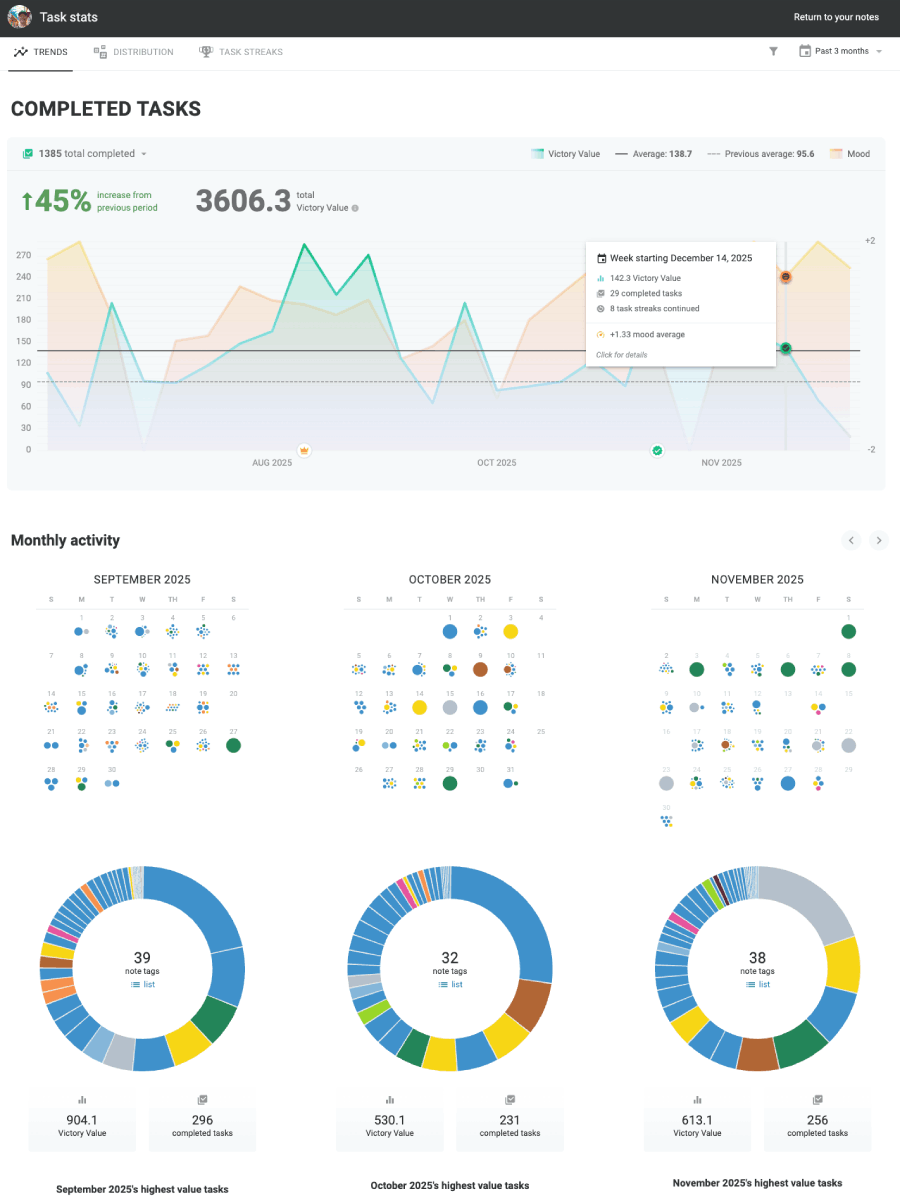
The Completed Tasks "Trends" Tab: Go deep into understanding what got done, and how it felt to do it
link⚙️ Define what matters to you via Victory Value
In order to get the most from Completed Task Stats, it helps to understand the basics of how Amplenote tracks how much meaningful progress is being made on your todo lists. For each completed task, Amplenote assigns a Victory Value score that starts at 1 point (for a basic task w/ no properties set) and scales up based on:
Was the task marked "Important" (hotkey: Ctrl + I)? Completing Important tasks gives more Victory Value
Was the task in a note with a Victory Value multiplier? Not all tasks are created equal. All tasks reside within notes (where "note" is usually equivalent to a "project" in traditional todo apps), where you can apply one or more tags to the note. When you edit a tag's properties, you can pick a Victory Value multiplier that gives more credit when you finish a task in a category that is important to your current life goals
Was a positive mood rating recorded around the time the task was completed? Being the most productive person in the world isn't worth much if you're miserable while you do it. That's why Amplenote offers a ubiquitous button to record your mood as the day progresses, so that when you visit your Completed Tasks you can piece together which tasks seem to leave you in the best mental space after.
There are a few other factors that contribute to Victory Value, like working on tasks that unblock other tasks. You can read about these on the Victory Value page, but most of them are not necessary to understand.
linkFine-tune Victory Value during monthly review
Most productivity systems recommend some form of a "periodic audit" to reflect upon how well your recently completed todos have translated to meaningful improvement in your situation.
To undertake your "personal task audit," navigate to Tasks View, and toggle the option to view Completed Tasks:
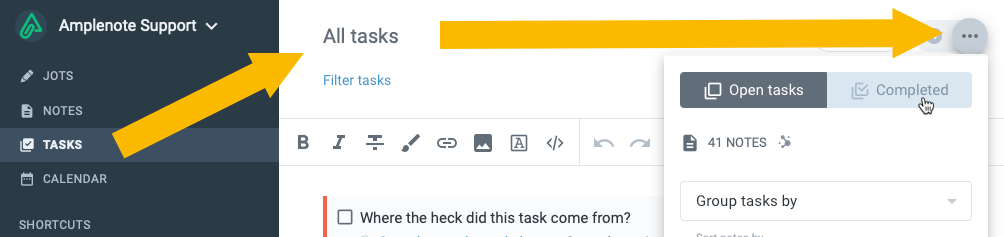
Navigating to your full list of Completed tasks
Once you open your list of completed tasks, you can click on the number next to any task to open a dialog that allows you to manually adjust the Victory Value for tasks that ended up being especially valuable to you.
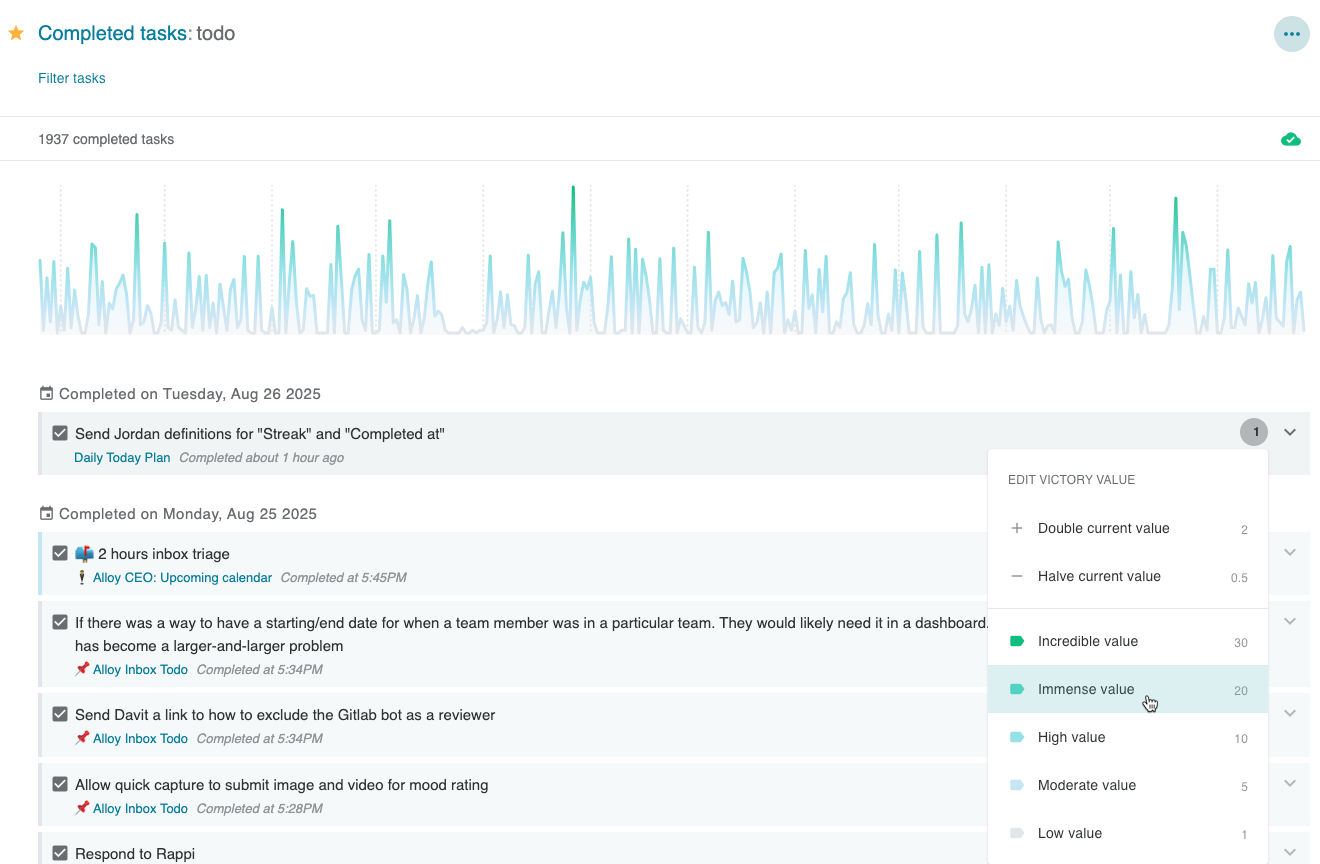
Browse through your completed tasks to mark the valuable ones, according to how much value you eventually reaped by completing the task
Undertaking a periodic review of your tasks will ensure that when you open Completed Task Stats, you'll maximize the amount of "signal" that can be gleaned about which types of tasks you may want to focus on more during the coming quarter.
link📈 Completed Task Stats: Trends
To open Completed Task Stats, click on the upwards chart icon shown in the leftmost panel of all desktop clients (whether web browser or desktop app). Then you'll get an overview of your recent Victory Value and Mood Ratings:
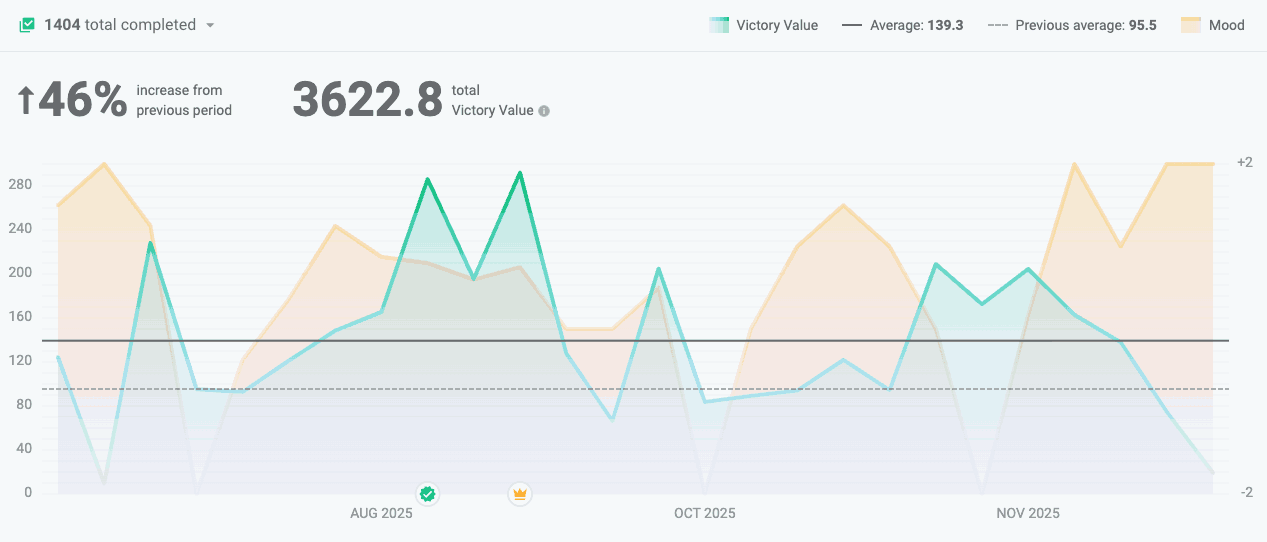
Understanding how "Happiness" and "Productivity" do or don't overlap during your past year
This is the baseline view of how much Victory Value you've accumulated during the time range you select. Here's a breakdown of the features available surrounding this first graph:
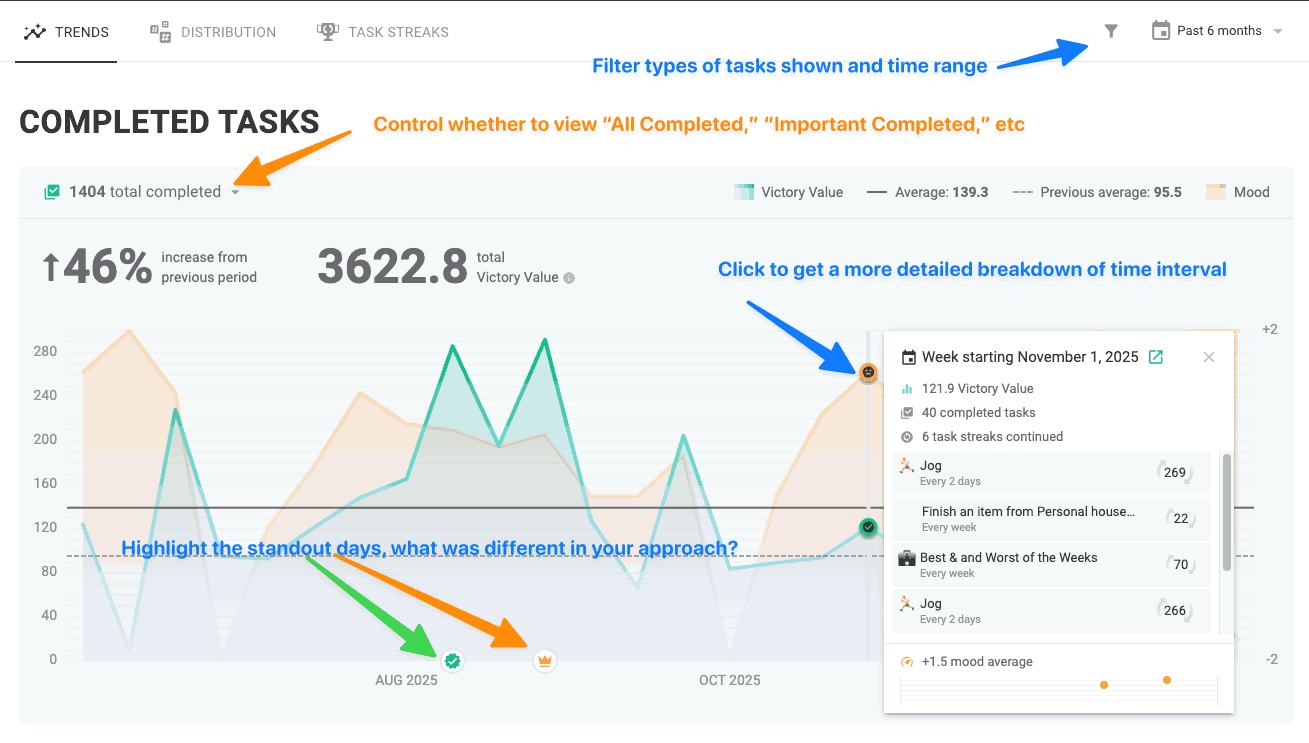
Interacting with the Completed Task stats
linkMonthly Completed Task Activity: Daily Breakdown
Moving down the page lets you dive into the daily breakdown of where your energy was focused. When performing a retrospective analysis, this view is great to answer a number of thought-provoking questions:
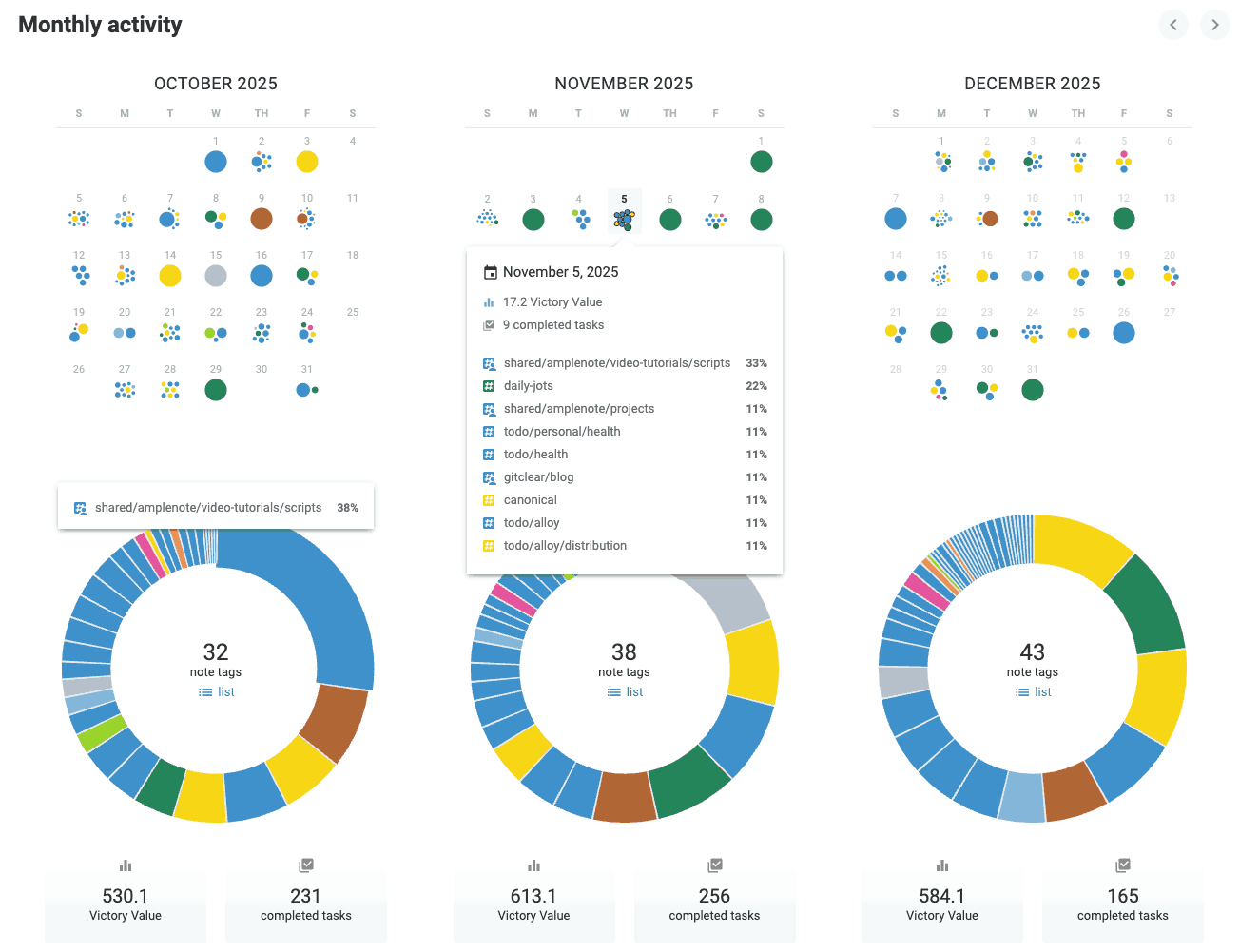
To get the most from your Monthly Activity breakdown, it pays to pick a strategy for coloring tags. Here are our latest recommendations on setting up tag colors.
The graphs are a perfect gateway to questions like:
What opportunities did I seize, which ones passed me by?
How much of my time was spent servicing different clients, or different job responsibilities? Am I spending more time in meetings than I thought?
Which weeks stood out as being the most high impact (which weeks have the most days with big dots)? What were my circumstances during that week, and how can I recreate them moving forward?
Below each month, you'll also find a list of the 🏆 top 3 🏆 most valuable tasks you completed during each month. Great source of inspiration when working up your motivation to make an audacious plan for the quarter to come.
link📓 Completed Task Stats: Completed by Tag
The next tab of Completed Stats is an even more detailed look at the domains where you have been realizing your most significant victories in the past while.
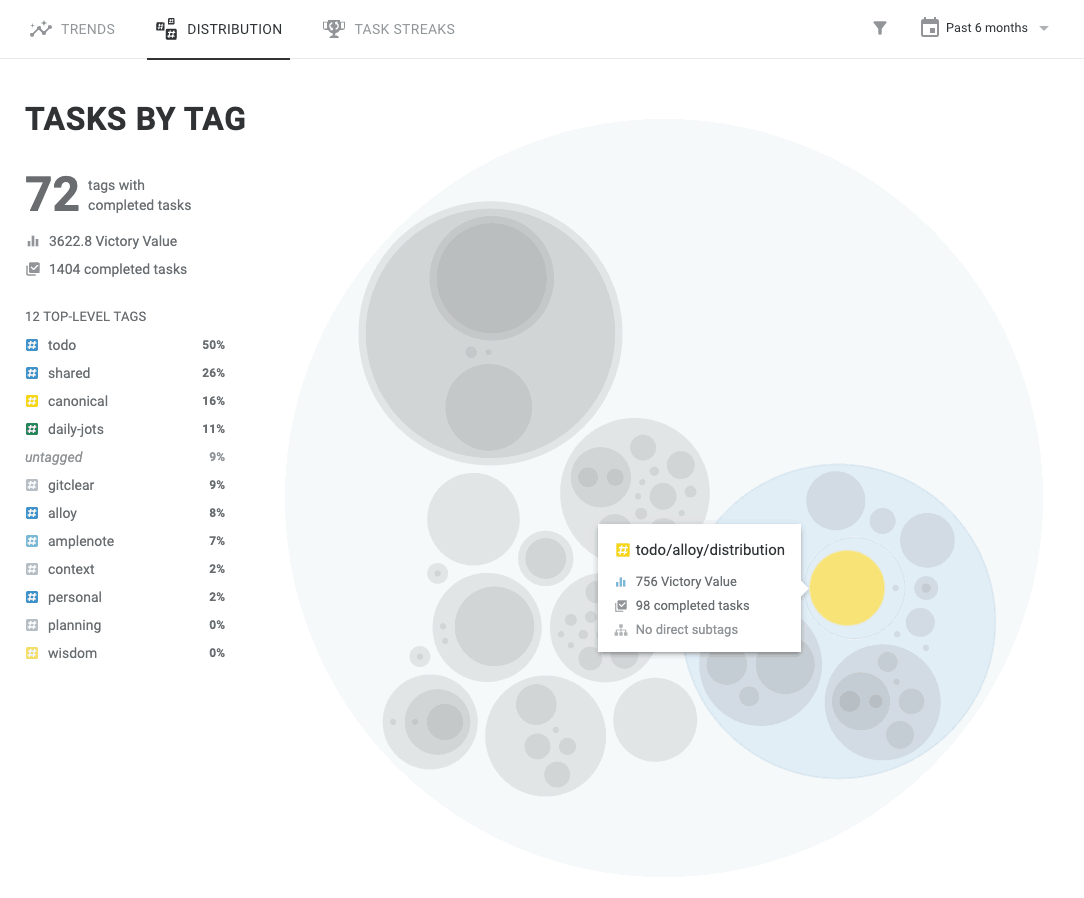
Dive into understanding how you've focused your productive energy lately
linkUse Cases & Examples of "Tasks by Tag"
This view is perfect for answering questions like:
Have I followed through on my quarterly plan? The ideal quarterly plan will ascribe a ballpark percentage range of attention you hope to spend on a given project, client, or topic. For example, the CEO of Alloy strives to spend half of his productive energy on "Distribution"-oriented tasks, since his natural tendency is to spend all time on programming. With this view, we can sift through your parent tags to see how much of your Victory Value was accumulated in different domains:
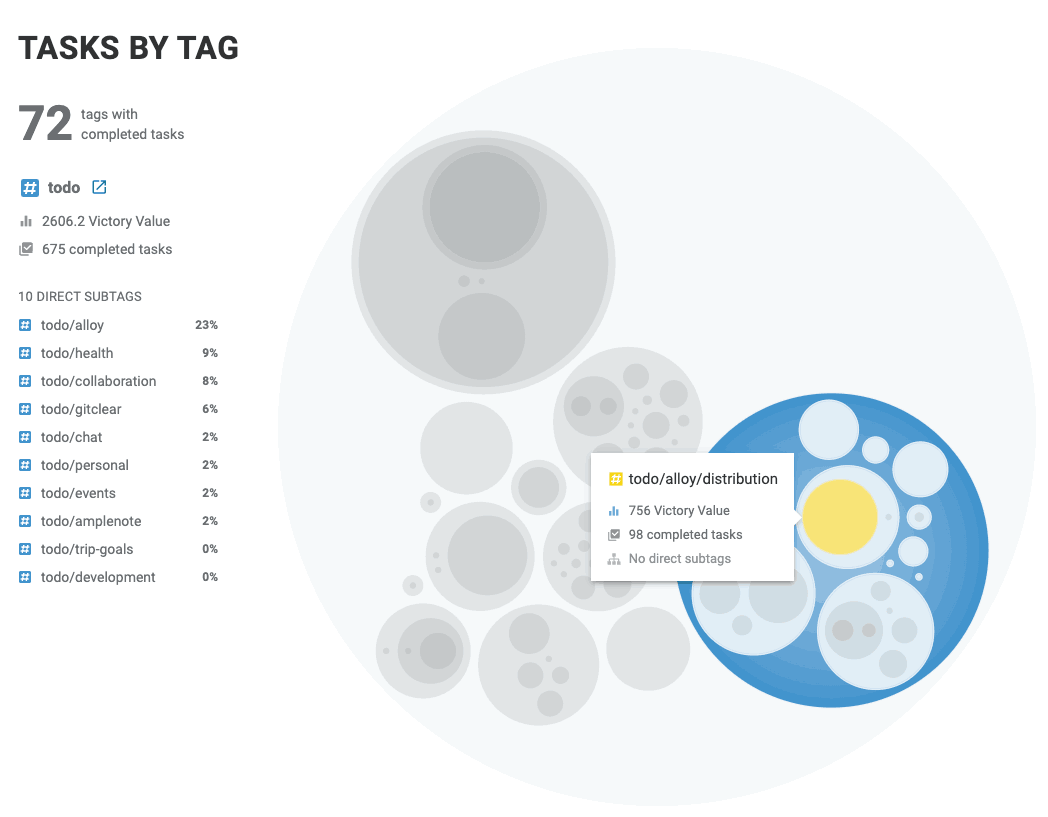
About 60% of the todo tasks did not have a child tag, but among those that did, about 20% went toward "Distribution" related tasks
Where have my highest-value completed tasks happened? By using the "Filter" option and choosing "Categories," you can sort to learn what type of tasks have given you the most bang-for-your-buck:
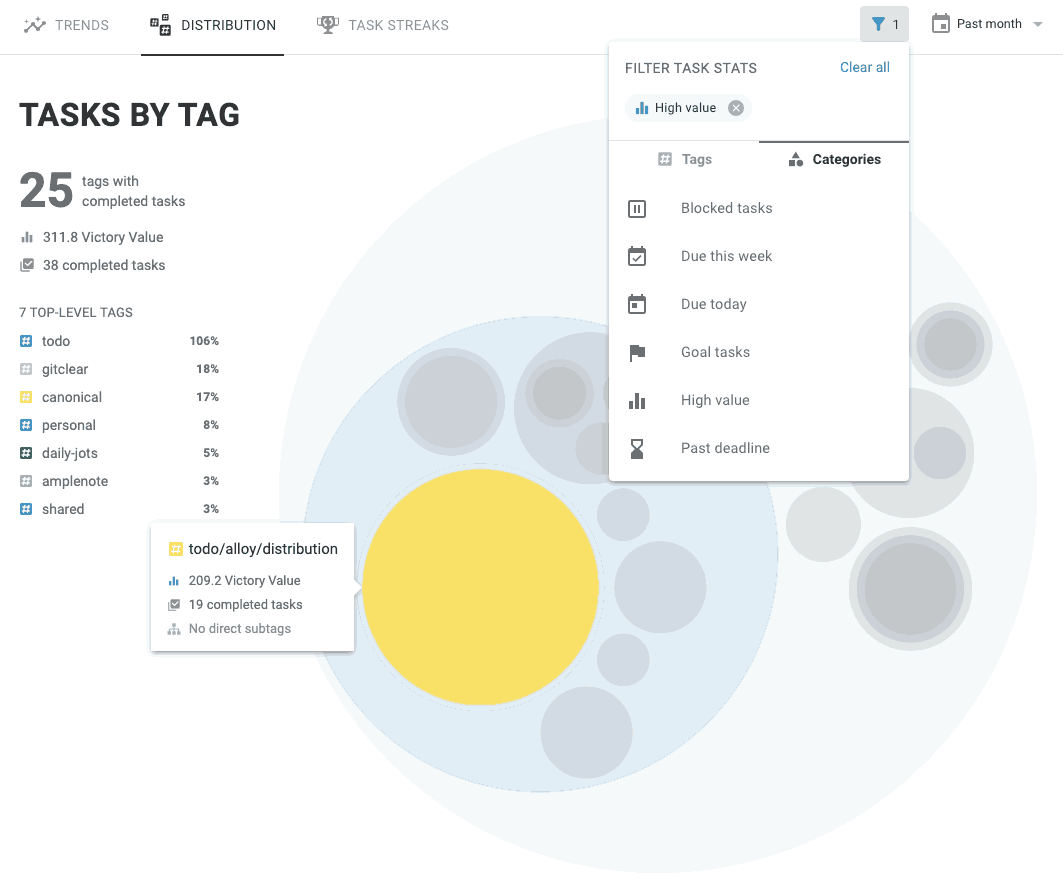
Among the "High Value" completed tasks, a much greater proportion of the tasks are in the "Distribution" tag
This helps substantiate when you should plan to continue focus on domains that have had the highest value, when you successfully compel yourself to direct your willpower toward them.
link🏋️ Completed Task Stats: Recurring Streaks (Habit Building)
Finally, the "Task Streaks" tab lets you see where your follow-through has been most spectacular:
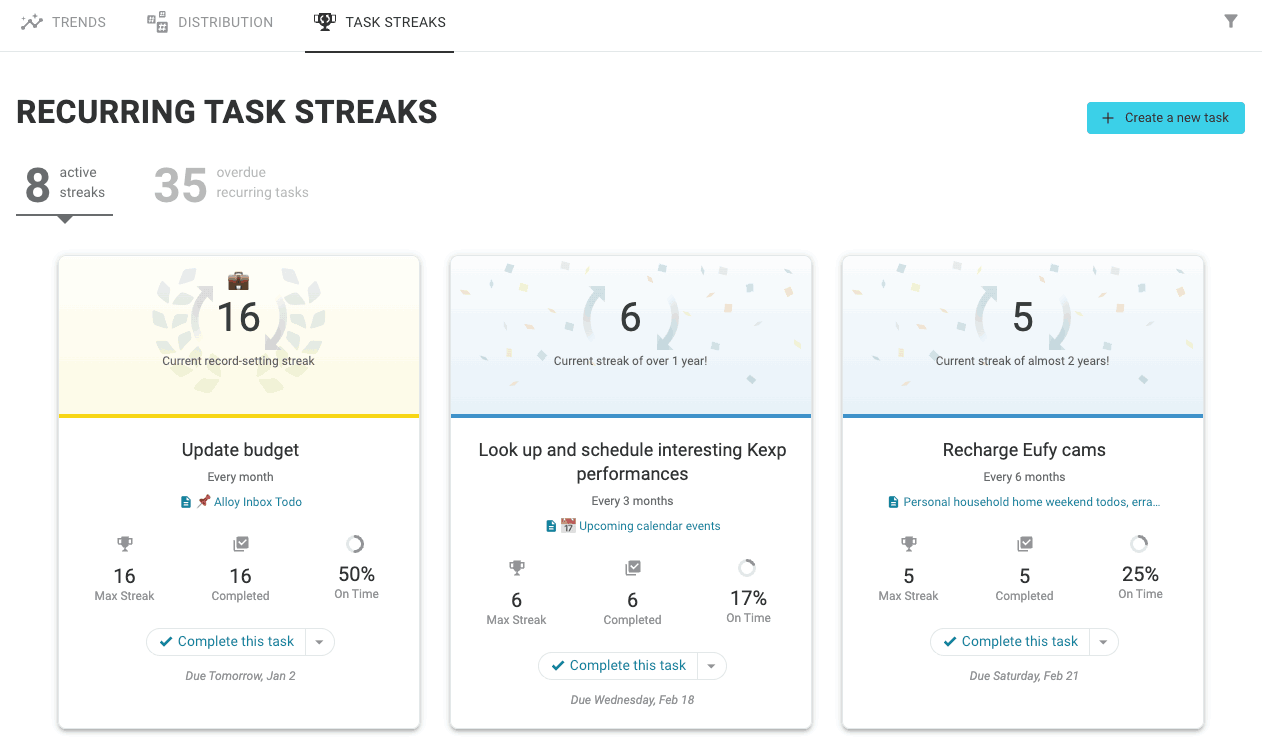
Create new habits by combining Flexible Recurrence with the Task Streaks tab for motivation
For a task to show as an "active" streak, you must continue to mark it as "Completed" on (or before) the date that it was scheduled to start. This does not mean you have to remember to mark the task complete on the day you finished it! But if you forget to mark the task completed after you finish it, then you need to remember to return to it on the calendar, and mark it complete at the scheduled time.
If you let too much time pass before remembering to mark a task complete, then you'll need to ensure that the subsequent task is scheduled such that it maintains the cadence you specified when you set up the task. For example, imagine you have a "Go to the gym" task that starts every other weekday, and you forget to check it off until two days after it was scheduled to start. You will initially preserve your task streak by marking the task complete when it was scheduled, but the follow-up task will be scheduled after today, which would not maintain the task streak. Thus, you need to reschedule the new task, so it falls on the date it would have been scheduled, had you marked the task complete on time, before you mark it complete.
linkUse Case for Task Streaks
The main use case is the critical one described above: compelling yourself to follow through on a new habit that you are looking to build.
In order to keep yourself on schedule, following through on the intentions that you choose when you're making your quarterly plan, we strongly recommend considering when recurring tasks should be scheduled: weekdays, weekends, or both? Unlike many task scheduling apps, Amplenote offers an option when setting up a flexible recurring task to designate whether it is a weekday (work-specific) task, like email, vs a weekend (personal/family) task, like spending meaningful time.